
Apply Allocation score overrides
Intended audience: scc admin
Special Case Committee (SCC) overrides can be made to a liver recipient’s Allocation score.
The SCC administrator changes information on the system to reflect the committee’s decisions.
Overriding the Allocation Score
Transplant programs may submit requests for exception points when a recipient’s Allocation Score does not reflect their disease severity. The SCC has the authority to approve requests for exception points and override the system-calculated Allocation Score. See About Allocation scores.
Liver or liver cluster recipients with a baseline or flat score override will stop accruing wait time and exception points when placed on hold for a non-medical reason (see Medical Hold and Liver Recipients section).
To override the Allocation score:
Go to the recipient’s profile and select Liver > Liver Specific Details on the sidebar.
Scroll down to the Allocation Score Override section.
-
Select Yes under Override Allocation Score.

-
Enter information in the override fields:
SCC Approval Date.
Override Type: Baseline override or Flat Score. See About Allocation scores for the distinction.
If Baseline Override is selected, the Effective date to start the three-point accrual every 90 days.
The new Baseline Points or Flat Score as approved by the SCC.
Override Comments.
-
Select the Save Override button.
To cancel, select the return to previous page icon or browse to any other page without saving. Any unsaved information is discarded.
The system:
Updates the Allocation Score.
For the Baseline override, starts the 90-day schedule for adding points automatically, based on the Effective From Date.
Adds a row to the Allocation Score history table showing the Allocation Score override.
Suspends the journey if it is on hold for a non-medical reason.
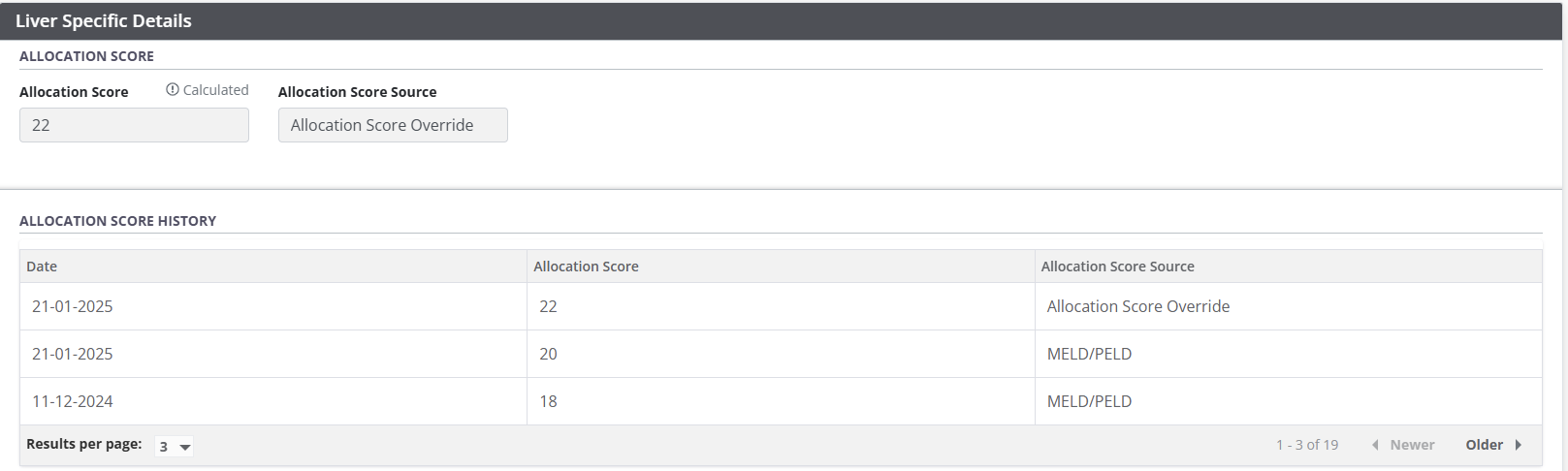
Other users of the system can view the history of Allocation Score changes and see the Allocation score override in the Liver specific details of a journey.